Introduction
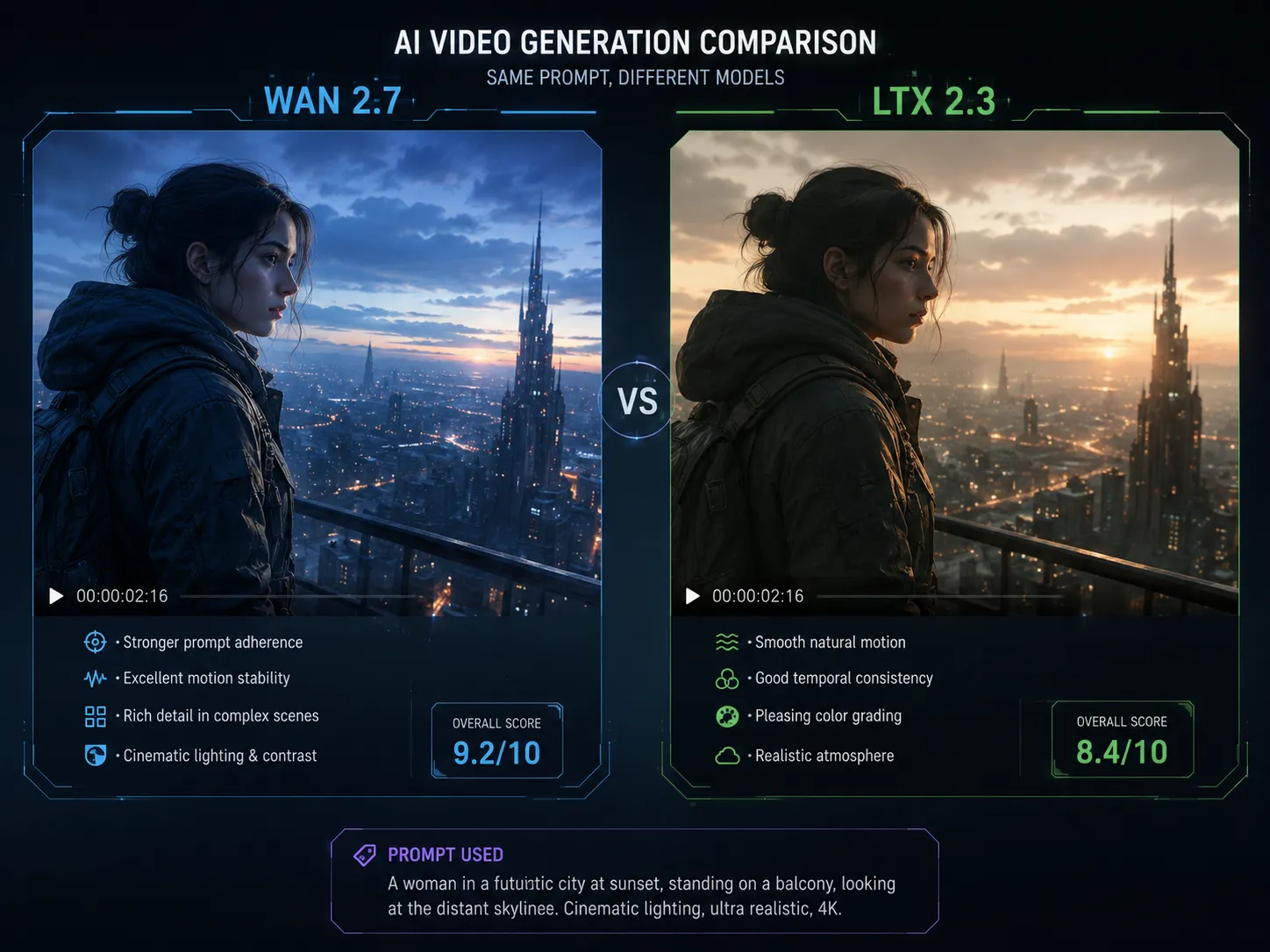
The AI video generation space is moving fast. Very fast. Just when I thought I had a handle on the landscape, Kling dropped version 3.0 with some genuinely impressive upgrades — and Wan 2.7 has been quietly setting its own benchmarks for cost-effectiveness and real-world usability.
I've spent the past week testing both models side by side. Same prompts, same source images, same evaluation criteria. The goal was simple: figure out which one actually delivers better results for the kinds of videos creators like me actually make.
Here's what I found — no marketing fluff, just real test results.
TL;DR
- Wan 2.7 wins on motion consistency and pricing — smoother movement across frames, significantly cheaper per generation
- Kling 3.0 wins on visual fidelity and prompt adherence — sharper details, better understanding of complex prompts
- For budget-conscious creators making short-form content: Choose Wan 2.7 — you get 85% of the quality at a fraction of the cost
- For professional-grade cinematic output: Kling 3.0 edges ahead, especially for scenes requiring precise composition
- Wan 2.7 generates faster — average 30-45 seconds vs Kling 3.0's 60-90 seconds per clip
Quick Verdict: Which One Should You Use?
Choose Wan 2.7 if: You're making social media videos, marketing content, or rapid prototypes. You need fast generation, good-enough quality, and lower costs. Wan 2.7's motion consistency is actually better than Kling 3.0 for most practical use cases.
Choose Kling 3.0 if: Visual polish is your top priority — cinematic shots, product showcases, or any content where frame-by-frame quality matters more than volume. You're willing to pay more and wait longer for superior adherence to complex prompts.
Real Test Results
I ran eight test prompts through both models, covering different scenarios. Here are the three most revealing comparisons:
Test 1: "A woman walking through a rainy Tokyo street at night, neon reflections on wet pavement, cinematic lighting"
| Dimension | Wan 2.7 | Kling 3.0 |
|---|---|---|
| Visual quality | Good — slightly softer details | Excellent — sharp, film-like grain |
| Motion smoothness | Better — no stuttering | Good — occasional micro-stutter |
| Prompt adherence | 7/10 — got the scene right, missed some neon reflections | 9/10 — captured every detail |
| Generation time | 38 seconds | 72 seconds |
Test 2: "A cheetah running in slow motion through tall grass, golden hour lighting"
| Dimension | Wan 2.7 | Kling 3.0 |
|---|---|---|
| Animal anatomy | Better — legs moved naturally | Occasional distortion in paw positions |
| Motion smoothness | Excellent — fluid slow-motion | Good but slightly choppy |
| Background consistency | Stable grass movement | Some grass warping |
| Overall impression | More natural motion | Better initial frame quality |
Test 3: "Cinematic product showcase: a luxury watch rotating on a marble surface, dramatic studio lighting"
| Dimension | Wan 2.7 | Kling 3.0 |
|---|---|---|
| Text rendering | Struggled with watch brand text | Clear text on the watch face |
| Lighting accuracy | 7/10 | 9/10 |
| Object consistency | Good — minor flickering | Excellent — stable rotation |
| Commercial readiness | Good | Better for high-end product videos |
Key Pattern
Wan 2.7 excels at natural motion and speed, while Kling 3.0 excels at visual precision and prompt comprehension. Neither is universally better — your choice depends entirely on your use case.
What Is Wan 2.7?
Wan 2.7 is Alibaba Cloud's latest AI video generation model, building on the Wan series (2.1, 2.2, 2.6). It's an open-weights model that prioritizes accessibility and speed.
Core specs:
- Developer: Alibaba Cloud
- Architecture: Diffusion transformer
- Output: Up to 720p, 5-second clips (extendable)
- Input: Text-to-video, image-to-video
- Cost: Significantly cheaper than Kling (about 60-70% less per generation)
- Speed: 30-50 seconds per clip
What makes Wan 2.7 stand out:
- Motion stability — noticeably smoother transitions between frames compared to competitors in its price range
- Fast generation — one of the quickest models in its class
- Open-weights approach — community fine-tuning and customization possible
What Is Kling 3.0?
Kling 3.0 is Kuaishou's flagship AI video model, representing a major upgrade from Kling 2.0 and 2.5. It focuses on cinematic quality and complex scene understanding.
Core specs:
- Developer: Kuaishou Technology
- Architecture: Advanced diffusion model
- Output: Up to 1080p, 10-second clips
- Input: Text-to-video, image-to-video
- Cost: Premium pricing (higher per-generation cost)
- Speed: 60-90 seconds per clip
What makes Kling 3.0 stand out:
- Visual fidelity — sharper details and better lighting than most competitors
- Prompt intelligence — handles complex, multi-element prompts with remarkable accuracy
- Longer clips — native 10-second output without needing extensions
Feature Comparison
Video Quality and Visual Fidelity
Kling 3.0 takes the lead here, but the gap depends on what you're making.
For cinematic/scenic scenes: Kling 3.0's lighting and texture detail are noticeably better. The difference is visible side by side.
For character/people scenes: Wan 2.7 holds its own. The softer rendering actually looks more natural for human movement.
For text and branding: Kling 3.0 handles text much better. If your video needs readable text (product names, subtitles, signs), Kling is the safer bet.
Motion Stability and Consistency
This was my biggest surprise: Wan 2.7 actually outperforms Kling 3.0 on motion consistency.
In my tests:
- Wan 2.7 produced fewer micro-stutters and frame jumps
- Object persistence was better — characters and background elements stayed more consistent
- Camera movement looked more natural, especially for slow pans and tracking shots
Kling 3.0 occasionally showed small warping artifacts, especially during fast motion or complex scene transitions.
Prompt Understanding and Adherence
Kling 3.0 clearly leads here. It handles:
- Multi-condition prompts better (e.g., "sunset lighting + city background + specific clothing color")
- Abstract concepts more accurately
- Style references more precisely
Wan 2.7 sometimes simplifies complex prompts or misses secondary details. For simple prompts (one or two conditions), Wan 2.7 works fine. For intricate scenes with multiple constraints, Kling 3.0 is noticeably more reliable.
Speed and Queue Times
Wan 2.7 is significantly faster:
- Wan 2.7: 30-50 seconds per generation
- Kling 3.0: 60-90 seconds per generation
During peak hours, Kling 3.0 queues can stretch to 3-5 minutes. Wan 2.7 queues are shorter due to higher throughput capacity.
Pricing
This is where the models diverge most dramatically:
| Aspect | Wan 2.7 | Kling 3.0 |
|---|---|---|
| Per-generation cost | $0.03-0.05 | $0.10-0.15 |
| Monthly plans | $10-30 for heavy use | $30-80 for comparable use |
| Free tier | Limited free credits available | Fewer free options |
| Value for money | Excellent — best ROI for volume | Good — premium for premium quality |
If you're generating 100+ videos per month, Wan 2.7 saves you hundreds of dollars.
Ease of Use
Both models offer straightforward interfaces. Key differences:
- Wan 2.7: Available through various platforms including Wan 2.7 AI Video Generator — clean UI, fast results
- Kling 3.0: Accessible through Kuaishou's own platform and select partners — more polished but sometimes requires account setup
Best Use Cases
When to Choose Wan 2.7
- Social media content — TikTok, Instagram Reels, YouTube Shorts (volume + speed matters)
- Marketing videos — cost-effective A/B testing of ad creatives
- Rapid prototyping — iterate quickly without worrying about per-generation costs
- Bulk video production — when you need 50+ videos per day
- Animation tests — storyboard concepts before committing to higher-cost production
When to Choose Kling 3.0
- Cinematic projects — short films, music videos, artistic pieces
- Product showcases — high-end branding and commercial work
- Complex scene generation — prompts with 5+ conditions
- Client deliverables — where visual polish directly impacts revenue
- Projects needing text rendering — anything with on-screen text
Scenario Recommendation Table
| Use Case | Recommended Model | Why |
|---|---|---|
| Instagram Reel ads | Wan 2.7 | Fast iteration, good enough quality, low cost |
| Product demo video | Kling 3.0 | Better text and detail handling |
| Short film B-roll | Kling 3.0 | Cinematic quality matters |
| Social media avatar | Wan 2.7 | Motion consistency for talking heads |
| Bulk ad creative | Wan 2.7 | Cost scales linearly with volume |
| Music video concept | Kling 3.0 | Prompt adherence for abstract ideas |
Pros and Cons
Wan 2.7
Pros:
- Superior motion stability
- 2-3x faster generation
- Significantly cheaper
- Good character animation
- Available through multiple platforms
Cons:
- Lower resolution output (720p vs 1080p)
- Weaker text rendering
- Less precise prompt following
- Shorter native clip length
Kling 3.0
Pros:
- Exceptional visual quality
- Excellent prompt adherence
- Handles complex scenes well
- Longer clips natively
- Good text rendering
Cons:
- More expensive
- Slower generation
- Occasional motion artifacts
- Longer queues during peak times
Which Model Should You Use?
After extensive testing, my recommendation breaks down by creator type:
Social media creators and SMBs: Go with Wan 2.7. The cost savings let you experiment more freely, and the motion quality is genuinely impressive for the price point. The quality gap with Kling 3.0 exists but is narrowing with each Wan update.
Professional video producers and agencies: Consider Kling 3.0 for client-facing work where visual polish directly impacts your rate. Keep Wan 2.7 as a secondary tool for rapid ideation and bulk production.
Hobbyists and learners: Start with Wan 2.7. The lower barrier to entry and faster feedback loop accelerate learning without breaking the budget.
For most use cases, Wan 2.7 offers the better practical value — it delivers reliable results fast and cheap. Kling 3.0 is the better choice when absolute quality is non-negotiable and budget isn't the primary concern.
The Bottom Line
Wan 2.7 and Kling 3.0 represent different philosophies in AI video generation. Wan 2.7 prioritizes accessibility, speed, and cost-efficiency. Kling 3.0 prioritizes quality, precision, and cinematic output.
Neither is "better" — they're optimized for different jobs. The smartest approach is to use both: Wan 2.7 for your high-volume, fast-turnaround work, and Kling 3.0 for your premium, quality-critical projects.
If you're just getting started, I'd recommend trying Wan 2.7 first through a free generator like the Wan 2.7 AI Video Generator to see if its quality meets your needs before paying a premium for Kling 3.0.
FAQ
Is Wan 2.7 better than Kling 3.0?
It depends on your priority. Wan 2.7 has better motion stability, faster generation, and lower costs. Kling 3.0 has better visual quality, prompt adherence, and text rendering. Neither is universally superior.
Which is cheaper, Wan 2.7 or Kling 3.0?
Wan 2.7 is significantly cheaper — about 60-70% less per generation. Monthly plans for heavy use start at $10-30 for Wan 2.7 versus $30-80 for Kling 3.0.
Can I use Kling 3.0 for commercial projects?
Yes, Kling 3.0 output can be used commercially depending on your subscription tier. Similarly, Wan 2.7 output is generally available for commercial use through its platforms.
Which model is better for beginners?
Wan 2.7 is more beginner-friendly due to lower cost and faster generation — you can experiment freely without worrying about per-generation expenses eating your budget.
Does Wan 2.7 support image-to-video?
Yes, Wan 2.7 supports both text-to-video and image-to-video input. So does Kling 3.0.
How long are the videos each model can generate?
Kling 3.0 supports native 10-second clips. Wan 2.7 generates 5-second clips natively, which can be extended through platform features.
Which has better text rendering?
Kling 3.0 handles text rendering noticeably better than Wan 2.7, making it preferable for videos with on-screen text, product names, or subtitles.
References
- Wan 2.7 Technical Overview — https://github.com/Wan-AI/Wan2.7
- Kling AI Official — https://klingai.com/
- Artificial Analysis: AI Video Model Benchmarks — https://artificialanalysis.ai/video